


yolo v5 + labelImg 进行数据标注(补充)
labelImg 标注软件安装和使用
#切换环境
conda activate yolov5
#安装labelImg
pip install labelImg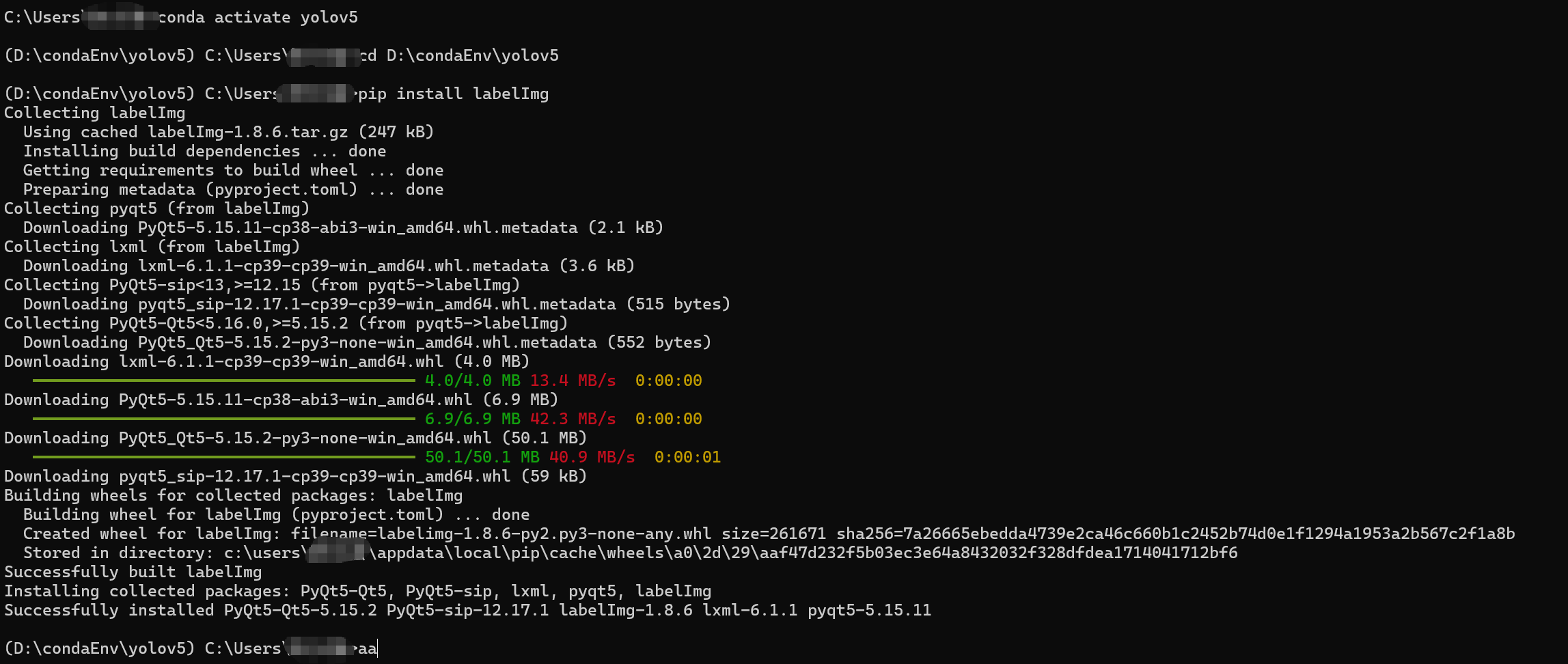
安装后使用,在安装的环境下使用下输入下面的命令
#使用命令
labelImg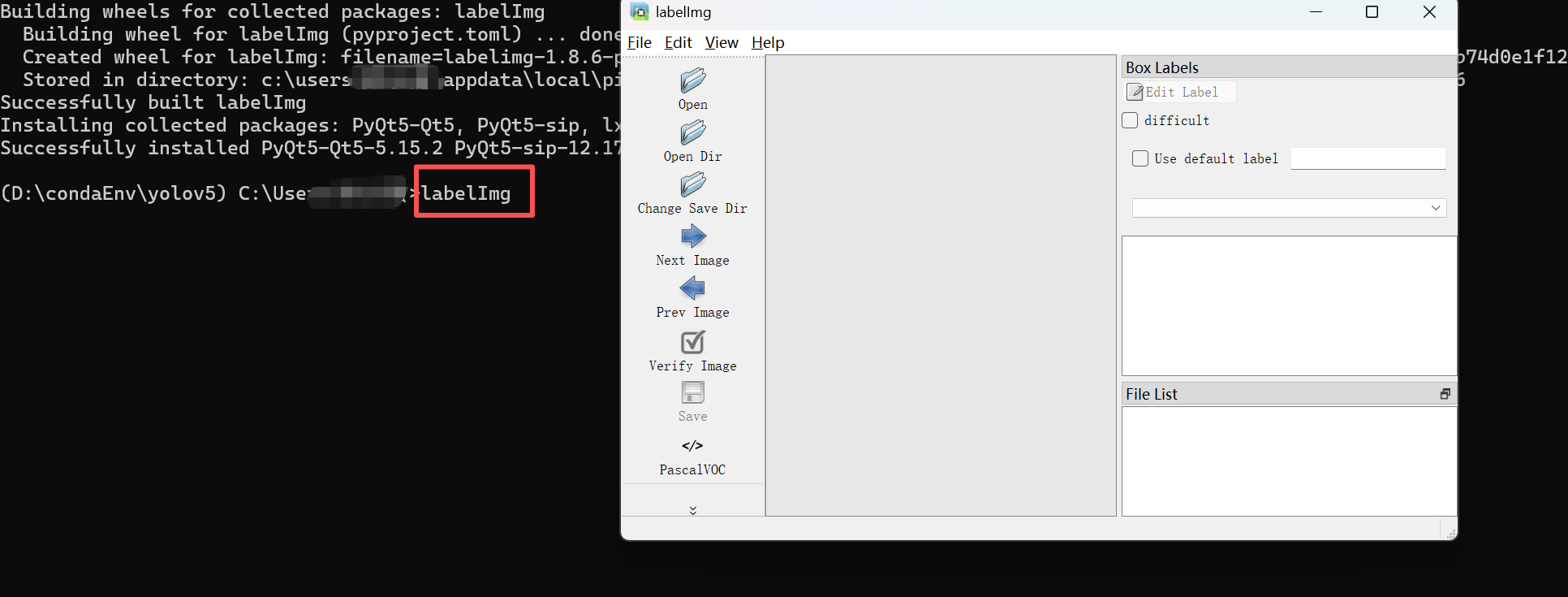
yolov5 训练要素:训练集,验证集,分类文件 coco128举例,自己标注是按照coco128 进行要素的划分即可。
训练集:已经标注好的需要识别的图片和对应标记参数
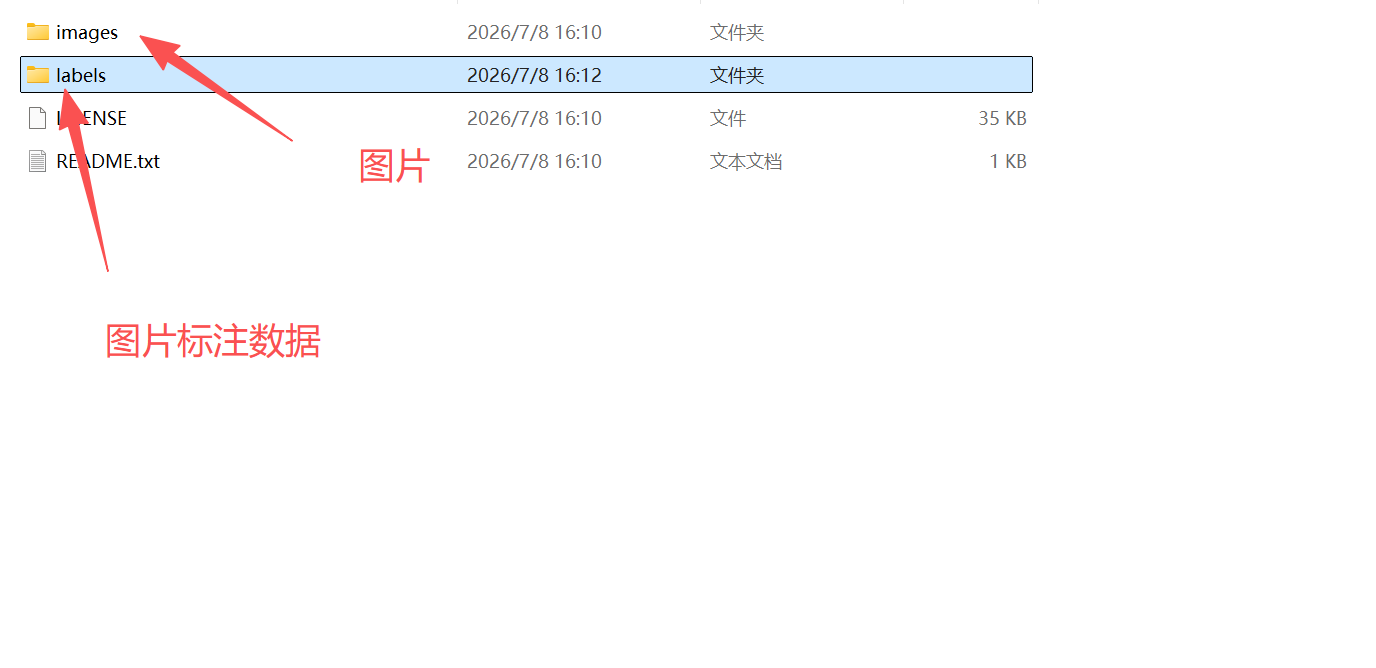
分类文件 coco128.yaml
path: ../datasets/coco128 # 数据集
train: images/train2017 # 训练集图片
val: images/train2017 # 验证集图片 这里的验证集和训练集一致
test: # test images (optional) #测试集

# Classes 分类
names:
  0: person
  1: bicycle
  2: car
  3: motorcycle
  4: airplane
  5: bus
  6: train
  7: truck
  8: boat
  9: traffic light
  10: fire hydrant
  11: stop sign
  12: parking meter
  13: bench
  14: bird
  15: cat
  16: dog
  17: horse
  18: sheep
  19: cow
  20: elephant
  21: bear
  22: zebra
  23: giraffe
  24: backpack
  25: umbrella
  26: handbag
  27: tie
  28: suitcase
  29: frisbee
  30: skis
  31: snowboard
  32: sports ball
  33: kite
  34: baseball bat
  35: baseball glove
  36: skateboard
  37: surfboard
  38: tennis racket
  39: bottle
  40: wine glass
  41: cup
  42: fork
  43: knife
  44: spoon
  45: bowl
  46: banana
  47: apple
  48: sandwich
  49: orange
  50: broccoli
  51: carrot
  52: hot dog
  53: pizza
  54: donut
  55: cake
  56: chair
  57: couch
  58: potted plant
  59: bed
  60: dining table
  61: toilet
  62: tv
  63: laptop
  64: mouse
  65: remote
  66: keyboard
  67: cell phone
  68: microwave
  69: oven
  70: toaster
  71: sink
  72: refrigerator
  73: book
  74: clock
  75: vase
  76: scissors
  77: teddy bear
  78: hair drier
  79: toothbrush