


Nginx 推流+拉流服务器
一、搭建+测试的工具
推流工具OBS Studio : https://obsproject.com/
VLC播放器:https://www.videolan.org/
二、windows 版nginx
解压配置 nginx.conf,需要创建tmp/hls 或则自定义位置
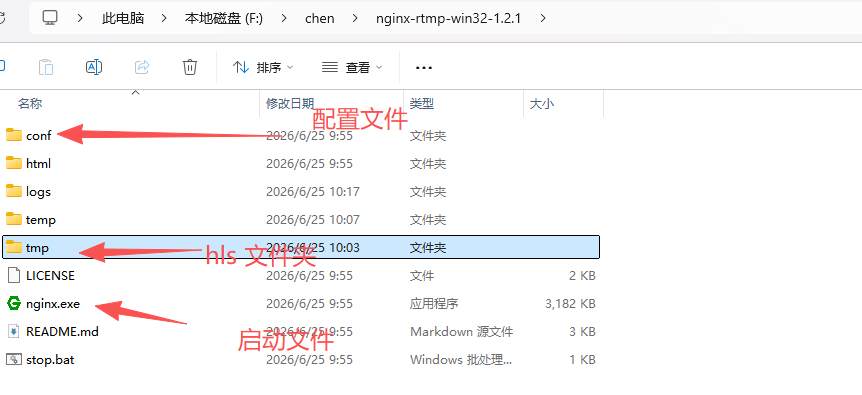
worker_processes  1;

error_log  logs/error.log debug;

events {
    worker_connections  1024;
}

rtmp {
    server {
        listen 1935; # RTMP 默认端口
        chunk_size 4096;

        application live {
            live on;             # 开启直播模式
            record off;          # 关闭录制(节省硬盘)
            allow publish 192.168.2.136; # 允许推流的客户端 IP,生产环境建议改成内网 IP 或密码验证

            # 开启 HLS 切片
            hls on;
            hls_path F:/chen/nginx-rtmp-win32-1.2.1/tmp/hls;
            # hls_path D:/nginx-rtmp/temp/hls; # Windows 路径,注意反斜杠
            hls_fragment 3s;     # 每个切片 3 秒
            hls_playlist_length 10s; # 播放列表长度 10 秒
        }
    }
}

http {
    include       mime.types;
    default_type  application/octet-stream;
    sendfile        on;
    keepalive_timeout  65;

    server {
        listen       80; # HTTP 默认端口,用于播放 HLS
        server_name  localhost;

        # HLS 播放配置
        location /hls {
            types {
                application/vnd.apple.mpegurl m3u8;
                video/mp2t ts;
            }
            #root /tmp; # Ubuntu
			root F:/chen/nginx-rtmp-win32-1.2.1/tmp; #和live中的路径相同,去掉hls
            # root D:/nginx-rtmp/temp; # Windows
            add_header Cache-Control no-cache;
        }


    }
}
双击启动nginx
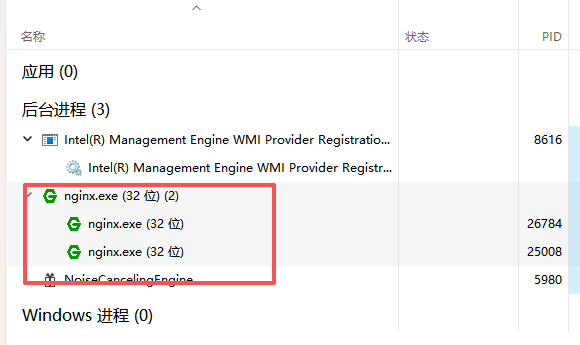
测试
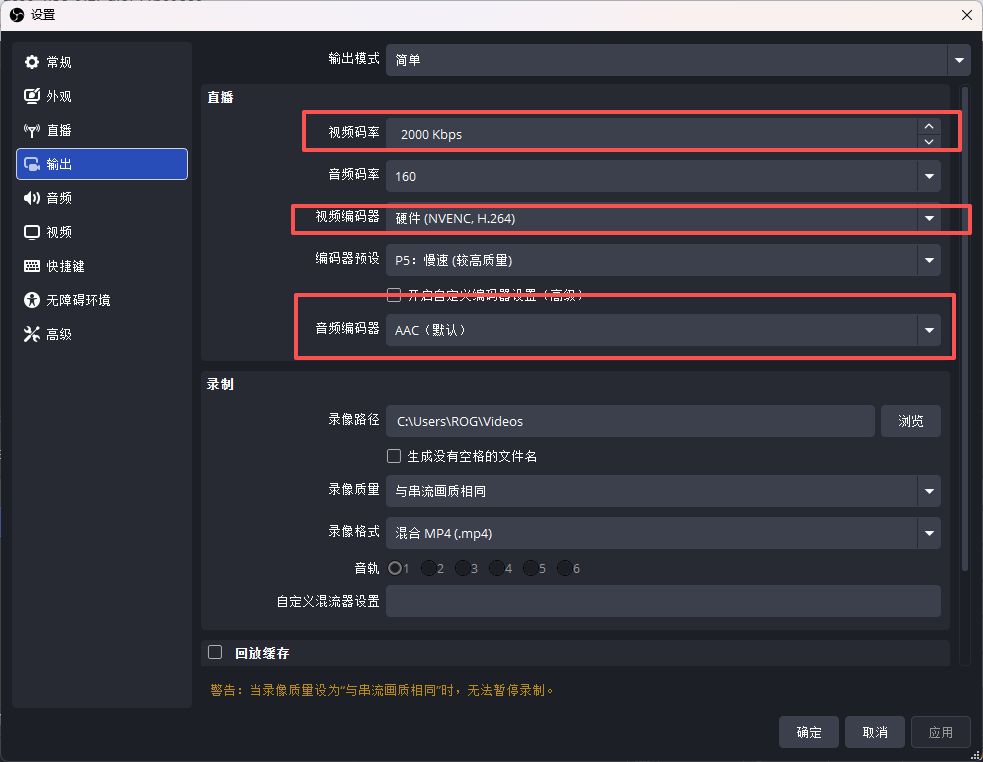
OBS Studio 直播设置
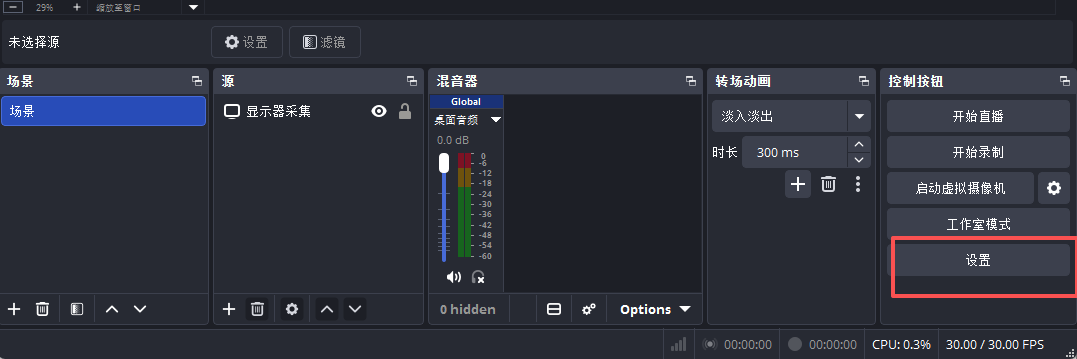
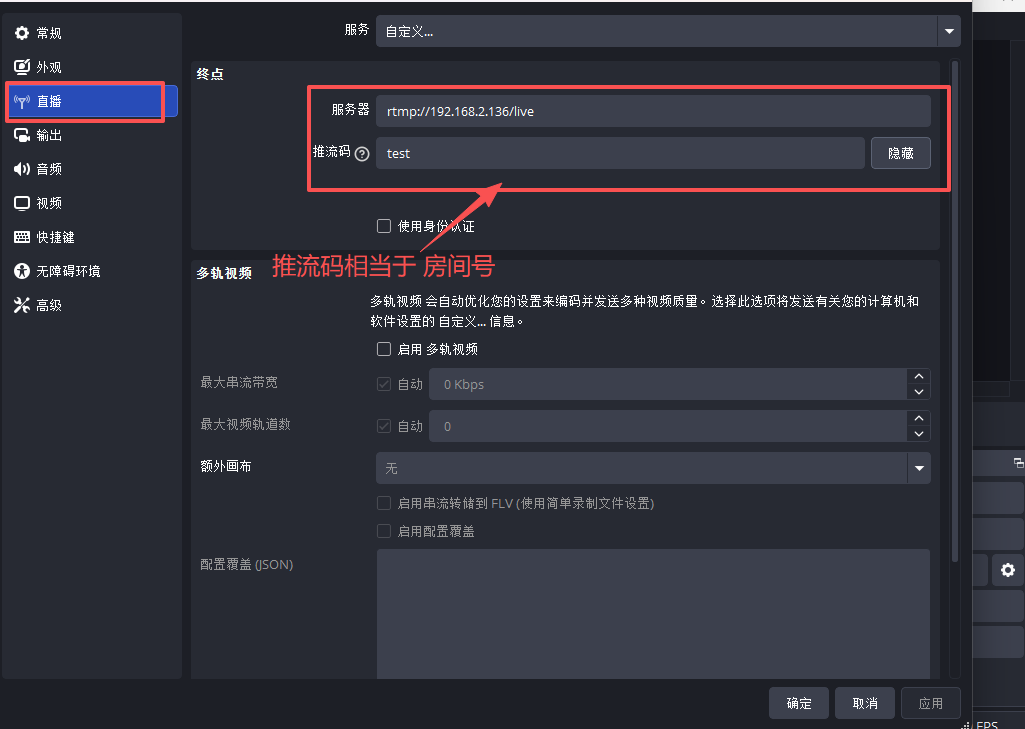
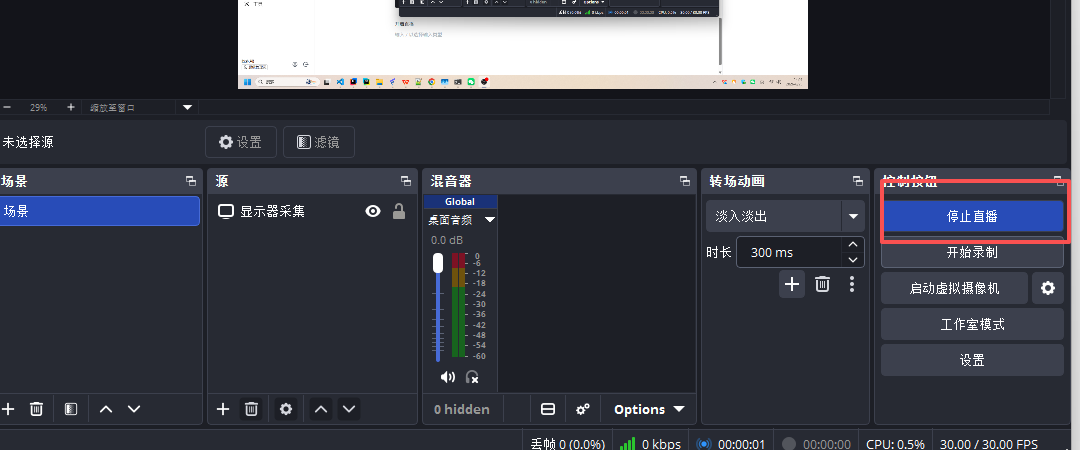
开启直播
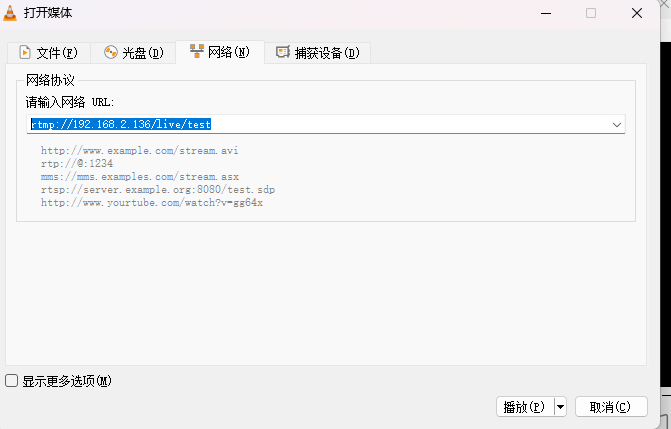
VLC 进行串流播放 串流地址 rtmp://192.168.2.136/live/test IP为自己的
网页测试地址(http://IP/hls/test.m3u8 m3u8格式):http://192.168.2.136/hls/test.m3u8
三、ubuntu版 nginx
ubuntu 版本的官方nginx需要自己添加rtmp模块和所以需要下载模块
GitHub:https://github.com/winshining/nginx-http-flv-module
nginx-http-flv-module-1.2.13.tar.gz
nginx 基础安装 http://8.137.94.77:7090/archives/nginx-ubuntu-zheng-xiang-dai-li
--add-module=/usr/local/nginx/nginx-http-flv-module 添加模块./configure --add-module=/usr/local/nginx/nginx-http-flv-module --prefix=/usr/local/nginx \
--with-http_ssl_module \
--with-http_realip_module \
--with-http_gzip_static_module \
--with-pcre \
--with-stream \
--with-stream_ssl_module \
--with-http_stub_status_module编译安装
make && sudo make installnginx.conf 配置
#user  nobody;
worker_processes  1;

#error_log  logs/error.log;
#error_log  logs/error.log  notice;
#error_log  logs/error.log  info;

#pid        logs/nginx.pid;


events {
    worker_connections  1024;
}

rtmp {
    server {
        listen 1935; # RTMP 默认端口
        chunk_size 4096;

        application live {
            live on;             # 开启直播模式
            record off;          # 关闭录制(节省硬盘)
            allow publish 192.168.195.129; # 允许推流的客户端 IP,生产环境建议改成内网 IP 或密码验证

            # 开启 HLS 切片
            hls on;
            hls_path /usr/local/safeware/tmp/hls;
            # hls_path D:/nginx-rtmp/temp/hls; # Windows 路径,注意反斜杠
            hls_fragment 3s;     # 每个切片 3 秒
            hls_playlist_length 10s; # 播放列表长度 10 秒
        }
    }
}

http {
    include       mime.types;
    default_type  application/octet-stream;

    #log_format  main  '$remote_addr - $remote_user [$time_local] "$request" '
    #                  '$status $body_bytes_sent "$http_referer" '
    #                  '"$http_user_agent" "$http_x_forwarded_for"';

    #access_log  logs/access.log  main;

    sendfile        on;
    #tcp_nopush     on;

    #keepalive_timeout  0;
    keepalive_timeout  65;

    #gzip  on;
server {
        listen       80; # HTTP 默认端口,用于播放 HLS
        server_name  localhost;

        # HLS 播放配置
        location /hls {
            types {
                application/vnd.apple.mpegurl m3u8;
                video/mp2t ts;
            }

			root /usr/local/safeware/tmp; #和live中的路径相同,去掉hls

            add_header Cache-Control no-cache;
        }
		#flv 播放 配置
	 	location /live {
	    	 flv_live on;
	     	chunked_transfer_encoding on;
	     	add_header 'Access-Control-Allow-Origin' '*';
		}


    }

    server {
        listen       81;
        server_name  localhost;

        #charset koi8-r;

        #access_log  logs/host.access.log  main;

        location / {
            root   html;
            index  index.html index.htm;
        }

        #error_page  404              /404.html;

        # redirect server error pages to the static page /50x.html
        #
        error_page   500 502 503 504  /50x.html;
        location = /50x.html {
            root   html;
        }

        # proxy the PHP scripts to Apache listening on 127.0.0.1:80
        #
        #location ~ \.php$ {
        #    proxy_pass   http://127.0.0.1;
        #}

        # pass the PHP scripts to FastCGI server listening on 127.0.0.1:9000
        #
        #location ~ \.php$ {
        #    root           html;
        #    fastcgi_pass   127.0.0.1:9000;
        #    fastcgi_index  index.php;
        #    fastcgi_param  SCRIPT_FILENAME  /scripts$fastcgi_script_name;
        #    include        fastcgi_params;
        #}

        # deny access to .htaccess files, if Apache's document root
        # concurs with nginx's one
        #
        #location ~ /\.ht {
        #    deny  all;
        #}
    }


    # another virtual host using mix of IP-, name-, and port-based configuration
    #
    #server {
    #    listen       8000;
    #    listen       somename:8080;
    #    server_name  somename  alias  another.alias;

    #    location / {
    #        root   html;
    #        index  index.html index.htm;
    #    }
    #}


    # HTTPS server
    #
    #server {
    #    listen       443 ssl;
    #    server_name  localhost;

    #    ssl_certificate      cert.pem;
    #    ssl_certificate_key  cert.key;

    #    ssl_session_cache    shared:SSL:1m;
    #    ssl_session_timeout  5m;

    #    ssl_ciphers  HIGH:!aNULL:!MD5;
    #    ssl_prefer_server_ciphers  on;

    #    location / {
    #        root   html;
    #        index  index.html index.htm;
    #    }
    #}

}
flv 播放地址http://192.168.195.129/live?port=1935&app=live&stream=test
测试和windows 一致
后续会补充权限等相关的功能